
Google Ads Campaign Structure for Used Car Dealerships: A 2026 Playbook
Last updated: 5 May 2026 · 11 min read · Automotive PPC
If you're spending money on Google Ads for your used car dealership and the leads aren't matching the spend, the problem is almost always structural. Not your bids. Not your ad copy. The way the account is built.
We audit dealership Google Ads accounts every week, and the same patterns show up over and over: a single Performance Max campaign trying to do everything, no vehicle feed connected, traffic going to the homepage, no negative keyword list, and no clear way to tell which campaigns are actually producing sales. Roughly 30% of the budget in a typical dealer account is being wasted before the rest does its job.
This article isn't theory. It's the exact campaign structure we'd build for an Australian used car dealership today — what campaigns to run, how to organise them, what keywords belong where, how to set up the vehicle feed, and the budget split that actually works. Read it as a playbook. Implement it section by section.
The short version (TL;DR)
- Run four campaign types: Performance Max (with vehicle feed) · Search · Brand · Remarketing.
- Performance Max + a properly built vehicle feed is now the highest-ROI structure for used car dealers — feed quality is the single biggest performance lever.
- Recommended budget split: 50–60% Performance Max · 20–30% Search · 10% Brand · 10% Remarketing.
- Send all paid traffic to vehicle detail pages (VDPs) or filtered search results — never the homepage.
- Geo-target a 20–50 km radius around your rooftop with "presence" targeting, not interest. Avoid nationwide.
- Conversion tracking is non-negotiable: calls, forms, vehicle views, directions clicks. If you can't measure cost-per-lead, you're flying blind.
- The five most expensive mistakes: single-campaign accounts · no feed · homepage traffic · no negatives · broken mobile experience.
Where this fits: This article assumes you've already decided to run paid search as part of your dealership's digital mix. If you're still weighing where dealership budget should sit between Carsales, paid search, and your own website, start with our companion piece: Carsales vs. Your Own Website: Where Should a Dealership Spend in 2026?.
The 2026 reality of Google Ads for dealers
Before the structure makes sense, you need to understand what's actually changed in the last 18 months. Three shifts have reshaped how dealership Google Ads should be built.
1. Performance Max is now the centre, not the side dish
For years, Search campaigns were the foundation of dealership PPC accounts and Performance Max (PMax) was an experimental add-on. That's flipped. Google has aggressively pushed automation, and for inventory-based businesses like dealerships — where there are dozens or hundreds of products to advertise — PMax now does the heavy lifting. Dealers without a PMax campaign running on a properly structured vehicle feed are leaving most of their potential reach on the table.
2. Inventory advertising is a real channel
Google Vehicle Ads — the inventory-based ad format that pulls listings directly from your vehicle feed — is now broadly available in Australia and integrated with PMax campaigns. They look like rich product listings with price, mileage, year, and a photo. They're closer to how Carsales displays your stock than how a Search ad works. For used car dealers, getting the vehicle feed right is now the single biggest determinant of paid performance.
3. First-party data is replacing third-party signals
Third-party cookies are mostly gone. Google's optimisation increasingly depends on first-party data you provide: your customer email lists, website visitors, conversion data piped into Google Ads. Dealerships with strong CRM data and well-tracked website conversions are getting better PMax performance than dealers without — even at the same spend level. The data you feed Google is now competitive infrastructure.
The implication for your account structure
Old dealership Google Ads accounts were built around Search campaigns split by make and model. New accounts should be built around the vehicle feed and PMax, with Search filling specific gaps PMax can't fill (high-intent local terms, brand defence, competitor targeting). Everything in this guide reflects that shift.
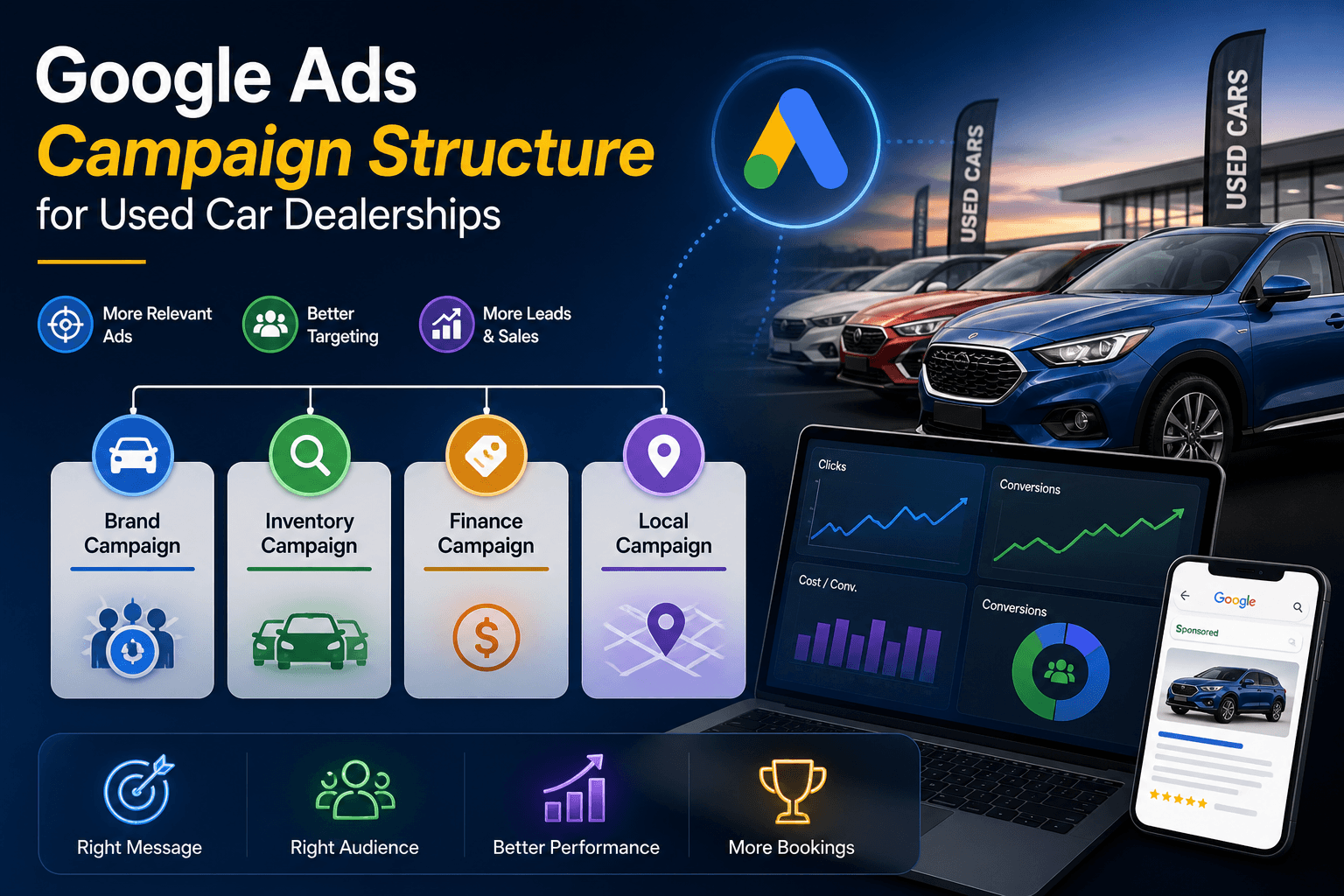
The four campaign types you should be running
There are dozens of Google Ads campaign types. Used car dealerships only need four. Anything beyond this is either redundant or a distraction.
1. Performance Max (Inventory-based / Vehicle Ads)
What it is: Google's automated campaign type that uses a vehicle feed to advertise your specific inventory across Search, Display, YouTube, Gmail, Maps, and Discover.
Best for: Scale. Capturing high-intent shoppers actively searching for vehicles like the ones you have in stock.
Why it matters: This is the closest thing to a Carsales-style listing experience inside Google's own ecosystem. Patient buyers see your actual stock, with photos and prices, in the moment they're researching. PMax with a clean feed is the highest-converting campaign type in most dealership accounts.
2. Search campaigns (High-intent)
What it is: Traditional keyword-targeted search ads. You bid on specific phrases, write specific ad copy, and control which landing pages traffic goes to.
Best for: Bottom-of-funnel intent — searches that PMax doesn't always capture cleanly. Examples:
- "used Toyota Corolla for sale Melbourne"
- "cars under $20,000 [suburb]"
- "used SUV finance available"
Why it matters: PMax is automated and can drift. Search gives you precise control over the highest-intent terms — the ones that produce sales, not just clicks.
3. Brand campaigns
What it is: Search ads bidding on your own dealership name and variations.
Best for: Defending against competitors bidding on your name and capturing the highest-converting traffic in your account.
Why it matters: Brand searches convert at multiples of generic searches, and the cost-per-click is usually low. Skipping brand campaigns lets competitors poach your warmest leads. We've seen dealers lose 10–15% of their direct-search traffic to competitor brand bidding.
4. Remarketing
What it is: Display, Search, and YouTube ads shown to people who've already visited your website but haven't converted.
Best for: The long sales cycle of car buying. Most car shoppers research for weeks before walking into a showroom; remarketing keeps your dealership visible across that window.
Why it matters: Cost-per-conversion on remarketing is typically the lowest of any channel because the audience is already warm. Skipping remarketing means letting researchers forget you between Tuesday's website visit and Saturday's purchase decision.
Optional: Competitor campaigns
Bidding on competitor dealership names is a real tactic, but it's expensive (high CPCs, low relevance scores) and brand-defensive. Most dealerships should only run competitor campaigns once the four foundational types are running well — never as a substitute for them.
The recommended account structure
Here's the structure we'd build for a typical Australian used car dealership today. Single rooftop, mixed inventory, $5,000–$15,000 monthly Google Ads budget — sized with FCAI VFACTS market context when you're planning mix and volume. Adjust scale up or down for your situation.
Account structure (single-rooftop dealership)
ACCOUNT: [Dealership Name] — Single Account

  CAMPAIGN: Performance Max — Inventory
    → Vehicle feed-driven, all stock

  CAMPAIGN: Search — Used Cars (Generic)
    → "used cars [suburb]", "cars under $X"
      AD GROUP: Used SUVs
      AD GROUP: Used Utes
      AD GROUP: Used Sedans / Hatches
      AD GROUP: Cars Under $20k

  CAMPAIGN: Search — By Make/Model
    → "used Toyota Corolla", "used Ford Ranger"
      AD GROUP: Toyota — Corolla / Camry / RAV4
      AD GROUP: Ford — Ranger / Everest / Focus
      AD GROUP: Mazda — CX-5 / 3 / BT-50
      AD GROUP: (Top 5–8 makes you carry)

  CAMPAIGN: Search — Brand Defence
    → Your dealership name + variations

  CAMPAIGN: Remarketing
    → Past website visitors, VDP viewers
Multi-rooftop dealer groups
If you operate multiple dealerships, run separate campaigns per location, not separate accounts. Use a single Google Ads account with location-based campaigns layered into shared structure. This lets you compare performance across rooftops, share negative keyword lists, and use the same vehicle feed structure across the group.
Common mistake: a separate ad account per location. This fragments performance data, prevents shared learning, and triples management overhead. Don't do it unless your locations operate under different brand names.
Why this structure works
- Separation of intent. Generic "used cars" searches and specific make/model searches behave differently. Splitting them lets you bid each appropriately.
- Budget control. Each campaign has its own budget. PMax can't suddenly drain Search budget; Search can't starve Brand defence.
- Performance visibility. You can see at a glance which campaign types are producing leads and shift budget without rebuilding.
- Feed-first. Performance Max anchored to the vehicle feed gets the largest share — reflecting how dealership ads actually work in 2026.
Keyword strategy — what to bid on (and what to skip)
Keyword choice is where most dealership Search campaigns fall apart. The temptation is to bid on the biggest, broadest terms and "see what happens". The reality is that broad terms drain budget on traffic that almost never converts.
High-intent keywords — bid on these
These are the searches where the buyer is close to a decision.
"used [make] [model] for sale [suburb/city]"— e.g., "used Toyota Hilux for sale Melbourne""[make] [model] [year]"— e.g., "Mazda CX-5 2022""cars under $[price]"— e.g., "cars under $20000 Melbourne""used [vehicle type] [suburb]"— e.g., "used SUV Carlton", "used ute Geelong""[make] dealer [suburb]"— e.g., "Toyota dealer Brunswick""used cars near me"(with strong geo-targeting)
Mid-intent — bid carefully, monitor
These convert, but only when paired with strong landing pages and tight match types.
- "best used SUV Australia" / "reliable used cars"
- "[make] vs [make]" comparison terms
- "used car finance" / "car loan" terms (lots of competition from finance companies)
Avoid — burns budget
These terms look attractive because of the volume. They convert badly because the intent is too vague.
- "cars" — millions of searches, almost none ready to buy
- "vehicles" / "automobiles" — same problem, wider
- "car prices" — researchers, not buyers
- "car review" / "car comparison" — informational intent
- Generic make-only terms like "Toyota" — too broad, dominated by manufacturer ads
Match types that work for dealerships
- Phrase match for high-intent terms — controls spend better than broad match while capturing relevant variations.
- Exact match for brand defence and high-value model searches.
- Broad match only with smart bidding (Maximise Conversions or Target CPA) — and only after you have meaningful conversion data feeding back. Broad without smart bidding is a budget grenade.
Negative keywords — the most underrated lever
A solid negative keyword list typically saves 20–30% of dealership ad budget that would otherwise be wasted on irrelevant clicks. Build the list before you launch. Add to it weekly.
Standard negative keyword categories for dealerships:
- Job-seekers: "jobs", "hiring", "careers", "apprentice"
- DIY/parts: "parts", "accessories", "workshop manual", "how to"
- Unrelated industries: "toy", "model car", "rental", "hire" (unless you offer hire)
- Free/cheap intent that doesn't fit your inventory: "free", "under $5000" (if your inventory is mid-market)
- Competitor names you don't want to bid on
Vehicle feed setup — the single biggest performance lever
If you take one thing from this article, take this: feed quality determines campaign performance. A perfectly structured account with a broken vehicle feed will underperform a mediocre account with a clean feed. Spend the time getting this right.
How it works (simply)
Your dealership website maintains an inventory of vehicles. That inventory is exported as a structured data feed to Google Merchant Center. Performance Max uses that feed to generate vehicle ads showing your specific stock to specific searchers. When a vehicle sells, the feed updates, and Google stops showing that ad. When new stock arrives, it appears automatically. The feed runs the campaign.
What every vehicle feed should include
- Make, Model, and Trim (e.g., "Toyota Camry Ascent Sport")
- Year of manufacture
- Price (current advertised price, updated daily)
- Mileage / odometer reading
- VIN (required by Google Vehicle Ads)
- Body type, fuel type, transmission, drive type
- Multiple high-quality photos (minimum 3, ideally 6–10)
- Stock number
- Availability (in stock / sold)
- Vehicle condition (used / certified pre-owned / demo)
- Dealership location and contact details
- Direct link to the vehicle detail page (VDP) on your site
Common feed mistakes that crater performance
- Stale data. Sold vehicles still showing in the feed → wasted clicks on unavailable cars → poor user experience → Google deprioritises your ads.
- Poor photography. Stock photos or low-resolution images get suppressed in vehicle ads.
- Inconsistent pricing. Price on the feed differs from price on the landing page → Google flags this as a quality issue and may pause ads.
- Missing required fields. VIN, mileage, year omitted → ads disapproved or never serve.
- No daily refresh. Feed updated weekly or manually → ads keep promoting yesterday's stock.
The non-obvious truth
Most dealership website platforms generate a basic vehicle feed automatically. Most of those feeds are not optimised for Google Vehicle Ads — they meet the minimum requirements but miss the fields that drive performance. If your feed exists but performance is mediocre, that's almost always why.
Geo targeting — where most dealers get this wrong
Used car buyers don't drive across the country to inspect a vehicle. They drive across town. Your geo-targeting should reflect that.
The right radius
For most metro dealerships, target a 20–50 km radius around the rooftop. Tighter (15–25 km) for highly competitive metro markets where your audience won't travel far. Wider (50–80 km) for regional dealers who service a larger catchment.
Layer with suburb-specific bid adjustments. Bid 20–30% higher on the suburbs that historically generate the most foot traffic, and lower on outlying suburbs where conversion rates are weaker.
Use "Presence" targeting, not "Interest"
Google offers two location targeting options. Most dealerships should use "Presence" (people physically in the targeted area) rather than "Interest" (people interested in the area but not necessarily there). Interest targeting catches a buyer in Sydney researching Melbourne dealers — they're not going to drive down. Presence targeting catches a buyer who's actually nearby and ready to inspect.
Avoid nationwide targeting
Unless you genuinely service buyers nationally (rare for used car dealers — almost only happens for specialty inventory like classic cars, performance vehicles, or commercial fleets), nationwide targeting drains budget on traffic that will never visit your showroom. The exception isn't worth the rule.
Landing page strategy — where traffic should go
Where you send paid traffic matters as much as the ad itself. The wrong landing page can halve your conversion rate.
Send traffic to
- Vehicle Detail Pages (VDPs) for ads about specific vehicles. The buyer searched for a Toyota Hilux — they want to see Toyota Hilux details, photos, and a finance calculator, not your homepage.
- Filtered Search Results Pages (SRPs) for category-based ads. "Used SUVs Melbourne" → an SRP filtered to SUVs only, sorted by price. "Cars under $20k" → SRP filtered by price.
- Dedicated landing pages for high-volume promotional campaigns (year-end clearance, finance specials) where you want to control the page layout entirely.
Don't send traffic to
- The homepage. Bounce rate is double or triple a VDP's. The visitor wanted a specific vehicle, they got a brand introduction.
- "Contact us" forms as the primary destination. Forms convert worse than vehicle browsing for first-touch traffic. Let them see the inventory first.
- Pages with broken filters or empty inventory. If your "used Honda Civic" SRP loads with no Honda Civic in stock, that's a wasted click and a frustrated user.
What every dealership VDP should have
- 8+ high-quality photos (interior, exterior, dashboard, boot, key features)
- Full specifications visible above the fold
- Click-to-call button on mobile (prominent, sticky)
- Finance calculator with pre-filled price
- Trade-in valuation tool (or link to one)
- Test drive booking option (online, no phone call required)
- Related vehicles section (similar make/price)
- Page load under 2 seconds on mobile
If your dealership website doesn't do this well, no amount of campaign optimisation fixes the conversion problem. See our guide to conversion rate optimisation for tightening enquiry rates before scaling paid traffic.
Conversion tracking — non-negotiable
Every dealership Google Ads account we audit that's underperforming has the same root cause: incomplete conversion tracking. If you don't know which clicks become leads — and which leads become sales — you can't optimise. Google's algorithm can't optimise either. You're spending money blind.
What every dealership should track as a conversion
- Phone calls from ads — using Google's call tracking with dynamic number insertion. Track call duration thresholds (e.g., calls over 60 seconds count as quality calls).
- Form submissions — enquiry forms, finance applications, trade-in valuations, test-drive bookings. Each as a separate conversion type.
- Vehicle Detail Page views — visitors viewing 3+ VDPs as a soft conversion (signals high-intent browsing).
- Direction requests — clicks to map directions are a strong intent signal.
- Click-to-call mobile clicks — even before the call connects.
Cost-per-lead is the metric that matters
Cost-per-click is a vanity metric for dealerships. Cost-per-lead — and ultimately cost-per-sale — is what you optimise for. With proper conversion tracking, you can see which campaigns produce a lead at $35 and which produce a lead at $180, and shift budget accordingly.
CRM integration is the next level
The dealerships getting the best PMax performance are passing offline conversion data back to Google — when a lead becomes a sale, that data flows back into the ads platform via offline conversion uploads. Google's algorithm then learns which clicks produce actual sales (not just leads), and optimises future spend toward those patterns. This is a 3–6 month implementation, but it's the difference between good Google Ads performance and great Google Ads performance.
Budget allocation — the recommended split
There's no single budget split that works for every dealership, but the framework below is a strong starting point for most Australian used car dealers. Adjust based on your inventory turnover, account maturity, and competitive landscape.
| Campaign type | % of budget | What it does |
|---|---|---|
| Performance Max (Inventory) | 50–60% | Scale; vehicle feed-driven; main lead source |
| Search (high-intent keywords) | 20–30% | Captures specific make/model and local intent |
| Brand Defence | ~10% | Protects direct-search traffic; cheap, high-converting |
| Remarketing | ~10% | Long-cycle nurture; lowest CPA |
Adjustments by dealership profile
- Smaller dealer, lower budget (<$3k/month): Tilt harder into PMax. Run only PMax + Brand to start; add Search and Remarketing as conversion data builds. Spreading $3k across four campaigns starves all of them.
- High-volume dealer ($15k+/month): Standard split works well. Consider splitting PMax into Used PMax and New PMax (if applicable), and segmenting Search by make group at higher granularity.
- Multi-rooftop group: Maintain split per location. Use a centralised account manager to share negative keyword lists, conversion learnings, and competitor research across rooftops.
- Highly competitive metro: Increase Brand Defence to 15% — competitors will be bidding on your name harder.
- New account (under 90 days): Less granular structure. Run PMax and a single Search campaign while data accumulates; expand structure once smart bidding has 30+ conversions to learn from.
How to test new spend
Before increasing budget, run an experiment: lift one campaign's budget 30% and hold the others flat for 2–3 weeks. Watch what happens to cost-per-lead and total leads. If CPL stays steady or drops, the channel can absorb more spend. If CPL rises sharply, you've hit the ceiling for that campaign — try another.
Five mistakes that waste 30% of dealer budgets
These are the patterns we see in almost every underperforming dealership Google Ads account we audit.
-
Running only one campaign type — A single PMax campaign trying to do everything. No Search, no Brand, no Remarketing. PMax is powerful, but it's not a complete account. You lose precise control of high-intent searches, you let competitors poach your brand traffic, and you miss the cheap conversions remarketing produces.
-
No vehicle feed (or a broken one) — PMax without a vehicle feed is running on a fraction of its capability. It still works — but it's missing the inventory ad format that's now central to dealership performance. Sold vehicles still showing, missing fields, stale photos — every feed quality issue compounds.
-
Sending all traffic to the homepage — This is the easiest fix and the most consistently ignored one. A buyer searching "used Toyota Hilux Melbourne" lands on your homepage, can't immediately find Hilux inventory, and bounces. Conversion rate halves. Cost-per-lead doubles.
-
No (or incomplete) negative keyword list — A typical dealership account without negative keywords wastes 20–30% of clicks on irrelevant searches: parts, jobs, manuals, free downloads, model toys. The negative keyword list is the cheapest performance lift in the entire account.
-
Mobile experience is an afterthought — Over 70% of car-shopping searches happen on mobile. If your VDPs are slow on mobile, your click-to-call buttons aren't tappable, or your finance calculator is broken on phones, your mobile conversion rate is destroying your account-level performance — even if your desktop numbers look fine. Audit your account from a phone, not a laptop.
Frequently asked questions
How much should a dealership spend on Google Ads in Australia?
Most Australian used car dealerships see meaningful results from $3,000–$15,000 per month, depending on rooftop count, market competitiveness, and inventory volume. Smaller independents in less competitive areas can run effectively from $2,000/month if budget is tightly managed. Multi-rooftop groups in metro markets typically spend $20,000+/month across all locations. The more useful question than "how much" is "what cost-per-sale is acceptable to your business?" Work backwards from there.
What is Performance Max for car dealers?
Performance Max (PMax) is Google's automated, AI-driven campaign type that uses your vehicle feed to advertise specific stock across all of Google's surfaces — Search, Display, YouTube, Gmail, Maps, and Discover — in a single campaign. Instead of building separate Search, Display, and Shopping campaigns, you upload your vehicle feed, set a budget and conversion goal, and Google's algorithm decides which vehicles to show to which audiences. For dealerships in 2026, PMax with a clean vehicle feed is typically the highest-ROI campaign type in the account.
Do Google Vehicle Ads work in Australia?
Yes. Google Vehicle Ads launched broadly in Australia and have become the standard inventory ad format for dealerships running Performance Max. They display vehicles directly with photo, price, year, mileage, and dealership name, similar to how listings appear on Carsales — but inside Google's own search and discovery surfaces. They require a properly structured vehicle feed via Google Merchant Center. Most Australian dealerships are now eligible; setup quality is the main differentiator between strong and weak performance.
What keywords should used car dealers target?
Focus on high-intent keywords with specific buyer signals. Strong choices: "used [make] [model] for sale [suburb]" (e.g., "used Toyota Hilux for sale Melbourne"), "[make] [model] [year]" (e.g., "Mazda CX-5 2022"), "cars under $[price] [city]", "used [vehicle type] [suburb]" (e.g., "used SUV Brunswick"), and "[make] dealer [suburb]". Avoid broad terms like "cars", "vehicles", or generic make-only terms — they drain budget on traffic that almost never converts. Always pair keyword strategy with a strong negative keyword list.
Why are my Google Ads not converting?
The five most common causes (in order of frequency): (1) Traffic is going to the homepage instead of vehicle detail pages or filtered search pages. (2) The vehicle feed is missing fields, has stale data, or includes sold inventory. (3) No conversion tracking is in place — calls, forms, and key page views aren't being measured. (4) Mobile experience is broken — slow page loads, untappable phone buttons, or buggy finance calculators. (5) The account structure is too narrow (one campaign doing everything) or too wide (dozens of small campaigns starving for data). In about 80% of cases, the conversion problem is structural, not a bid or copy issue.
Should I run Google Ads or invest more in Carsales?
Both serve different purposes and most successful dealerships run both. Google Ads catches buyers researching on Google before they land on a marketplace, captures local intent that Carsales doesn't (suburb-level searches, brand searches, finance searches), and builds your first-party data asset. Carsales captures buyers who go directly to marketplaces. The shift over the last five years has been toward more spend on owned channels (Google Ads to your website, SEO, direct social) and a smaller proportion on marketplaces. Our Carsales vs. dealership website article covers this trade-off in detail.
How long does it take Google Ads to start working for a dealership?
Performance Max campaigns typically need 2–4 weeks of conversion data before the algorithm begins delivering reliable cost-per-lead numbers. Search campaigns can deliver leads from week 1 but usually need 4–6 weeks of optimisation to reach efficient cost-per-lead. Brand Defence works immediately. Remarketing requires website traffic to build an audience first (typically 4–6 weeks). For most dealerships, expect 60–90 days from launch to a fully tuned, reliably performing account. Short-term performance during weeks 1–4 should not drive structural decisions.
Should I use broad match keywords?
Broad match works well for dealerships only when paired with smart bidding strategies (Maximise Conversions or Target CPA) and meaningful conversion data (30+ recent conversions feeding the algorithm). Without that data, broad match captures large volumes of irrelevant traffic and drains budget. New accounts and low-volume accounts should start with phrase match for control, layer in exact match for high-value terms, and only adopt broad match after smart bidding has stabilised.
How this plays out — a dealer case snapshot
To anchor the playbook in something concrete: here's a representative example of what happens when a dealership Google Ads account is rebuilt to this structure. The dealership is anonymised; the pattern is real and consistent across the dealers we work with.
Dealership snapshot
| Profile | Independent used car dealership, single rooftop, Melbourne metro, ~120 vehicles in stock at any time |
| Starting point | Single PMax campaign, no vehicle feed, all traffic to homepage, no conversion tracking, ~$6,500/month spend with unclear ROI |
| Engagement | Account rebuild over 6 weeks; ongoing optimisation across 3 months |
| Investment | Account restructure, vehicle feed setup via Merchant Center, VDP redesign, full conversion tracking implementation, weekly optimisation |
What changed over 90 days
- Structure: Rebuilt to the four-campaign structure (PMax + Search + Brand + Remarketing) with budget split per the framework
- Vehicle feed: Built and connected to Google Merchant Center; all 120+ vehicles visible in Vehicle Ads with full data fields, daily refresh
- Landing pages: Search and PMax traffic redirected to VDPs and filtered SRPs (no more homepage)
- Tracking: Full conversion tracking deployed — calls, forms, VDP views, direction requests
- Cost-per-lead: Down from approximately $145 (estimated, since tracking was incomplete) to a measured $62
- Lead volume: Roughly doubled at the same monthly spend
- Showroom visits attributed to ads: Up over 200% (newly trackable via direction requests + form bookings)
For strategy breakdowns and results from similar engagements, browse our automotive case studies — including work such as Elite Motors SEO.
Where to start
If you've read this far, you have the playbook. The honest question is whether you implement it yourself or get help.
If you're implementing this in-house
Three priorities, in order, for the next 30 days:
-
Audit your current account against the structure in this guide. Identify what's missing — it's almost always the vehicle feed and conversion tracking.
-
Build the vehicle feed properly through Google Merchant Center and verify all required fields are populated and refreshing daily. This single change typically lifts performance more than any other.
-
Implement full conversion tracking before you change a single bid. You can't optimise what you don't measure.
If you'd prefer a hand
PMGS works with Australian dealerships on exactly this — Google Ads account rebuilds, vehicle feed setup, landing page optimisation, and ongoing performance management. If you'd like an external view of where your account is leaking and the highest-ROI fixes available, we run a free dealership ad account audit covering structure, feed quality, landing pages, conversion tracking, and budget allocation. No obligation; the audit report is yours regardless. Learn more about our automotive marketing services.
→ Request a free Google Ads audit for your dealership
Or read on:
- Carsales vs. Your Own Website: Where Should a Dealership Spend in 2026? — the strategic budget question this playbook assumes you've considered
- Local SEO — organic visibility alongside paid campaigns
- Conversion rate optimisation — fix the conversion engine before scaling traffic
- Automotive marketing services — services hub
Sources and further reading
- Google — About Performance Max campaigns
- Google Merchant Center — Vehicle ads and vehicle inventory feed requirements (verify current schema for Australia)
- Cox Automotive Australia — dealership digital trend reporting
- Federal Chamber of Automotive Industries (FCAI) — VFACTS — Australian new vehicle sales data
- Australian Automotive Dealer Association (AADA) — industry benchmarks
Disclaimer: This article provides general implementation guidance for Australian used car dealerships and is current as of May 2026. Specific cost-per-lead figures, budget recommendations, and outcomes vary widely by dealership type, location, brand mix, inventory, and execution. Google Ads platform features and policies change frequently — always verify current Google Ads documentation before implementing any specific tactic.
Reading time: ~11 minutes · Last updated: 5 May 2026
Author

Gayan Perera
Gayan Perera, Senior Digital Marketing Specialist at PMGS Digital since 2010. With a bachelor's degree in online systems, Gayan specialises in Online Systems, Web Development, Google Analytics, SEO, Google Ads, Social Ads and CRM Integrations. In addition to those, Gayan enjoys creating videos and content to educate people about those areas.